
Overview
Welcome to Globe Fulfillment OMS! Follow the steps below to launch your dropshipping business quickly, from registration to daily operations.
Step 1: Register an Account
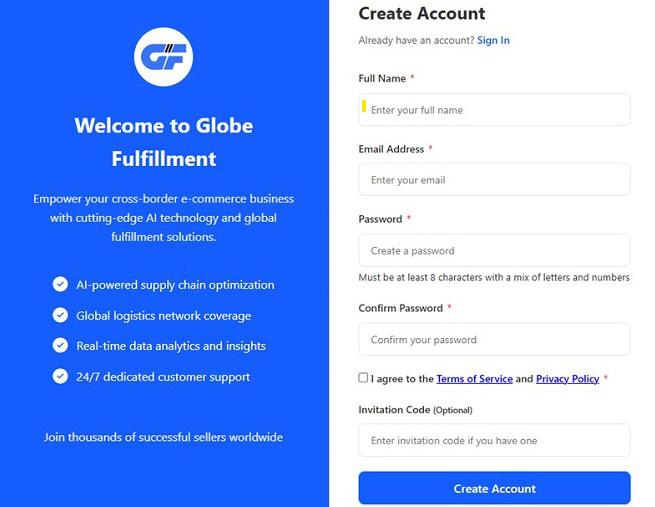
Visit the official Globe Fulfillment website and click Sign Up to go to the registration page.
Enter your Full Name.
Enter your Email Address.
Set your Password: minimum 8 characters, containing both letters and numbers.
Re-enter the password in Confirm Password for verification.
Check the box for I agree to the Terms of Service and Privacy Policy.
If you have an Invitation Code, enter it in the optional field.
Click Create Account to finish registration.
Check your inbox for the verification email and click the confirmation link to activate your account.
Step 2: Log into the System
- After registration is complete, click Sign In to access the login page.
- Enter your Email Address and Password.
- Check Remember me to stay logged in (optional).
- Click Sign In to enter the system backend.
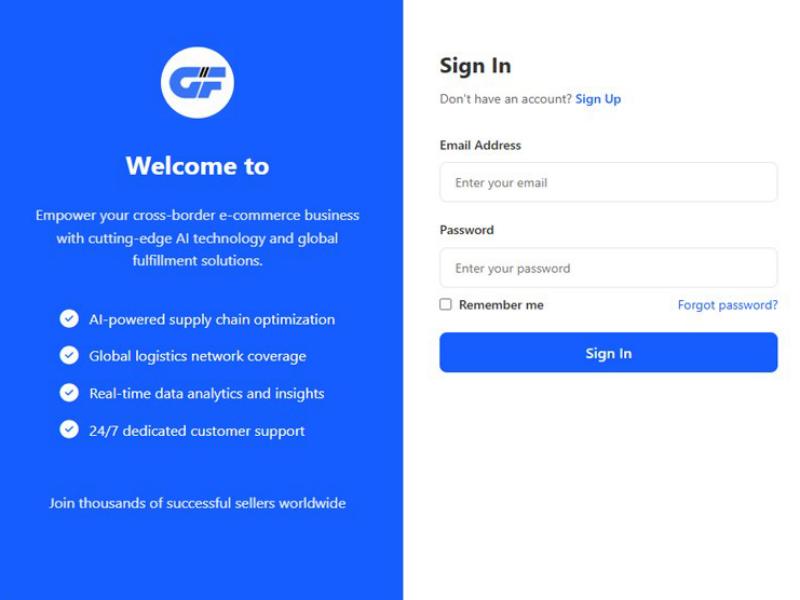
💡 If you forget your password, click Forgot password? and follow the prompts to reset it.
Step 3: Complete Your Profile
After your first login, please finish your account information first.
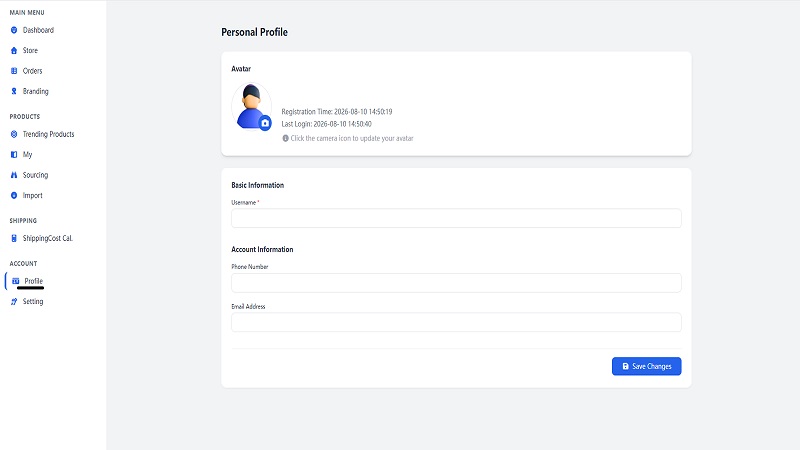
- Click ACCOUNT > Profile in the left menu to open the Personal Profile page.
- Click the camera icon on the avatar area to upload your profile picture.
- Fill in your Username, Phone Number and Email Address.
- Click Save Changes at the bottom right corner to save.
Need help?
If you encounter any issues during registration or login, please contact the Globe Fulfillment support team for assistance.